


Accessing FTANF Executables
FTANF is a legacy desktop application tool that helps TANF partners prepare transmission files for all sections of their quarterly data report. There are three versions of the tool, each of which supports quarterly reporting for one of the following: TANF, SSP-MOE, and Tribal TANF.
Data can be imported to it from other systems, or entered manually. Once in the tool, data can be exported into the flat file (.txt) format required by the TANF Data Portal.FTANF Versions
ACF no longer supports FTANF tools, but we are making them available here for TANF partners who may need access to the tool for use on a newer computer.
TANF partners can access it below by downloading the version appropriate to the data type(s) you submit. Please note: these tools were designed for use on Windows operating systems only.For tribal data reports
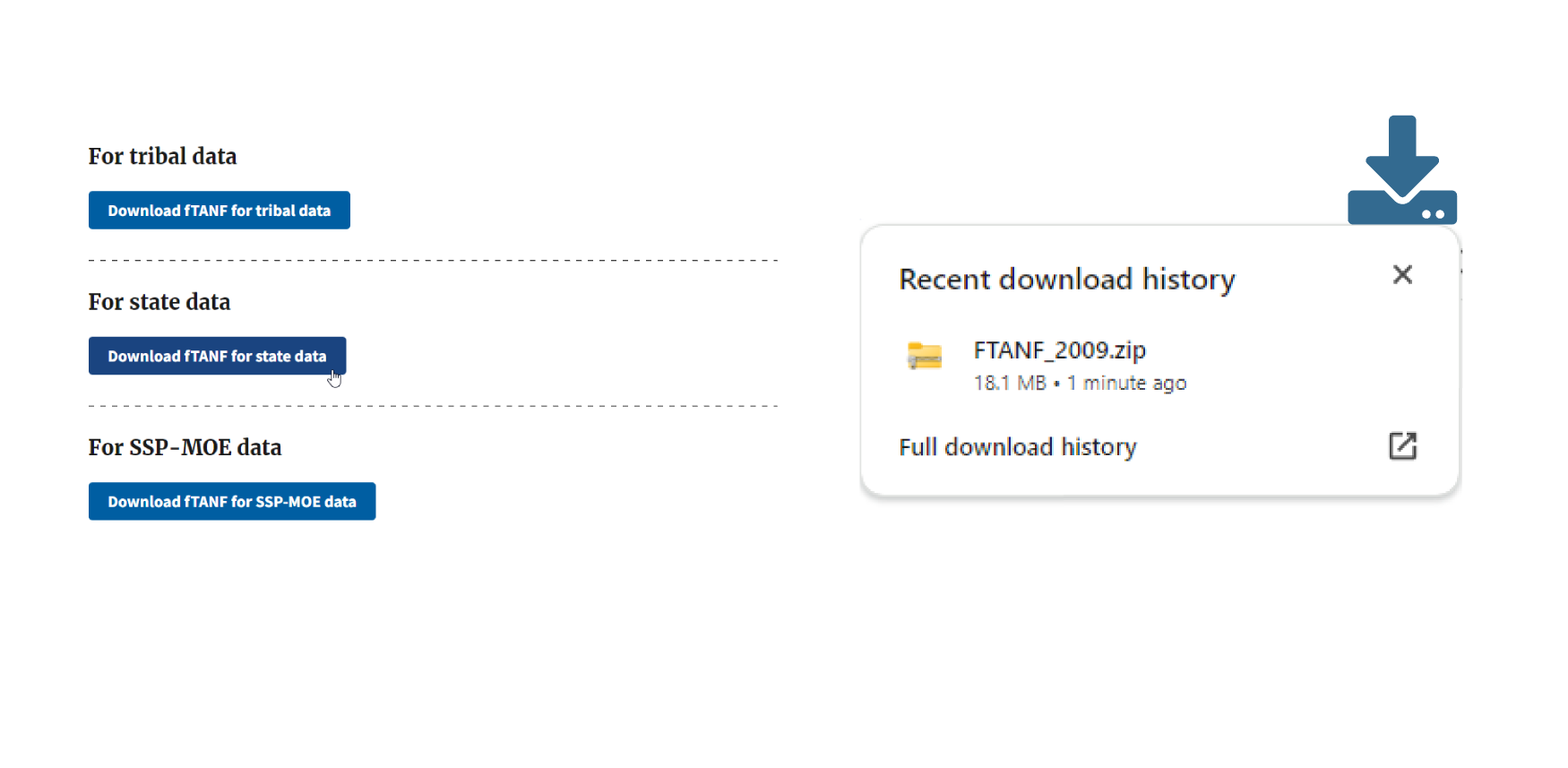
Download FTANF.zip for tribal TANF partnersFor state data reports
Download FTANF_2009.zip for TANF partners in the states and territoriesFor SSP-MOE data report
Download SSPMOE_2009.zip for TANF partners in the states and territoriesInstallation Instructions
- Download the appropriate version of FTANF above. The download will be of a compressed (.zip) folder containing an executable (.exe) file
- Unzip/Extract the zip file and open the resulting folder
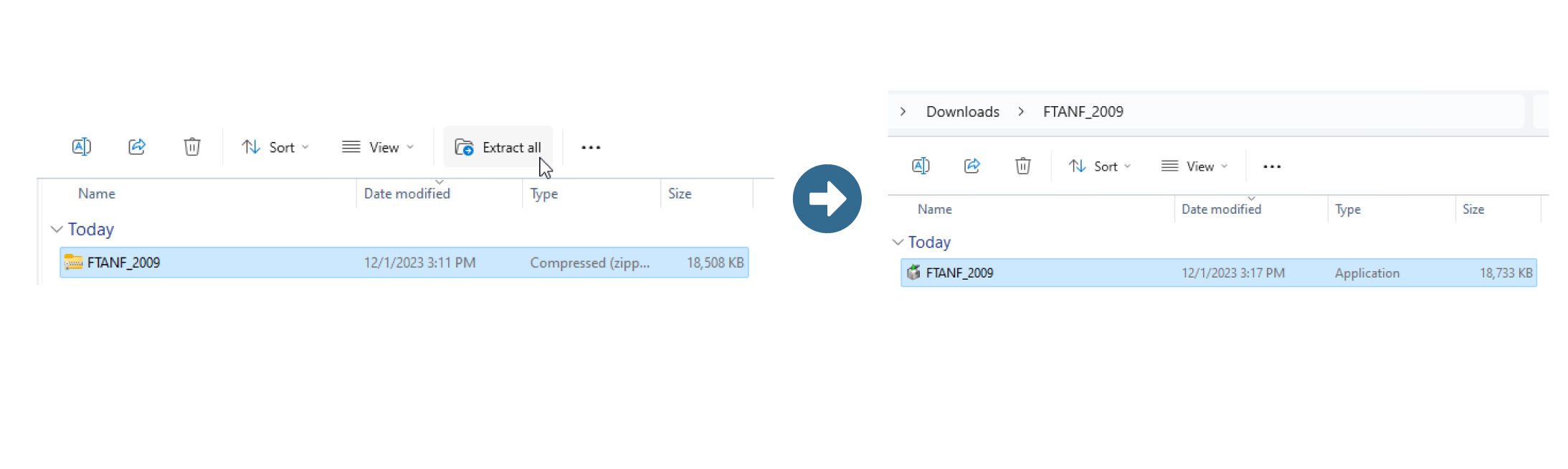
- Run the executable file.
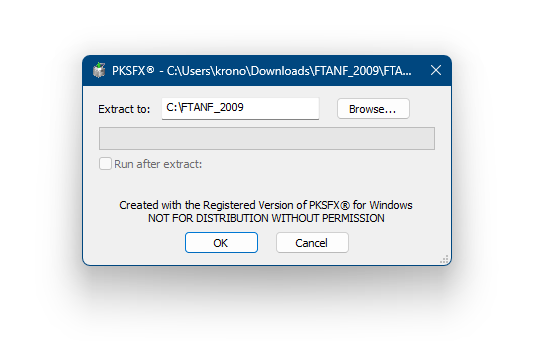
- The installer will prompt you to choose what location you want to install FTANF to on your computer. The default is a folder within the root of the C: drive, e.g, C:\FTANF_2009
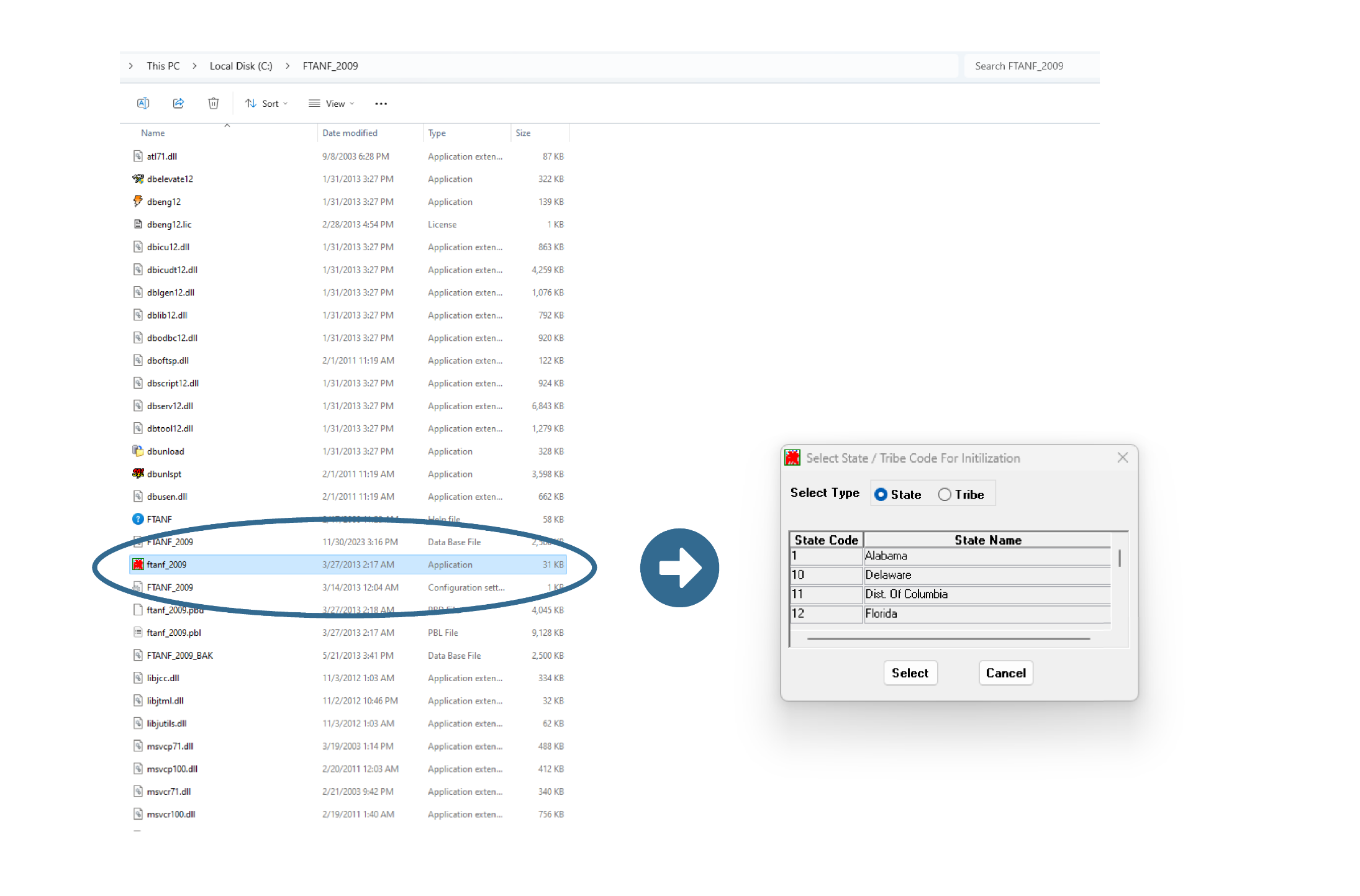
- Run the executable file within the newly created folder that has the same name as the folder, e.g., If you installed FTANF for SSP-MOE data the folder will be called “SSPMOE_2009” and contain an executable file called “sspmoe_2009”. This executable will open FTANF.
For further guidance we also have a knowledge center article on how to export complete data using FTANF. If you have questions or need assistance, please reach out to tanfdata@acf.hhs.gov.